Compare recurring pay
Enter the net deposit for your current job and alternatives. Add work costs paid separately, and keep benefits or equity in notes outside the cash total.
Compare take-home pay after work costs. Then put your final paycheck, first new deposit and bills on a dated plan before you decide.
One payment of $29 USD. Download and keep the files. No subscription.
Fictional example
You start October with $1,000, receive $800 from your old job, then pay $500 in switching costs, $1,200 rent and a $400 bill. Your first new deposit is $2,250.
The lowest balance is −$300 on October 12.
With a $200 minimum buffer, this plan needs $500 more starting cash.
Try October 10. The end-of-month total stays the same, but the earlier deposit changes the lowest balance. Bills are counted before deposits on the same date.
| Date in October | Entry | Amount |
|---|---|---|
| 2 | Final old-job deposit | +$800 |
| 3 | Switching costs | −$500 |
| 5 | Rent | −$1,200 |
| 12 | Bill | −$400 |
| 16 | First new deposit | +$2,250 |
This free example is a cash calculation. The paid kit adds separate job scenarios, editable events, pay-date generation, saved records and a report you can print. It doesn't calculate taxes or confirm your employer's pay dates.
A monthly average answers one question. Your account balance before rent is due answers another.
Enter the net deposit for your current job and alternatives. Add work costs paid separately, and keep benefits or equity in notes outside the cash total.
Enter a partial first check or delayed reimbursement. Edit generated dates and amounts, then see the lowest balance and extra cash needed for your chosen buffer.
Copy an offer to test a later start or a smaller deposit. Save each plan in your browser and export a private JSON backup.
Print a decision brief or export the dated ledger as CSV. The guide explains the calculation and gives you payroll questions to confirm.
The included example compares recurring pay and the cash calendar. These are fictional figures from the app, separate from the short preview above.
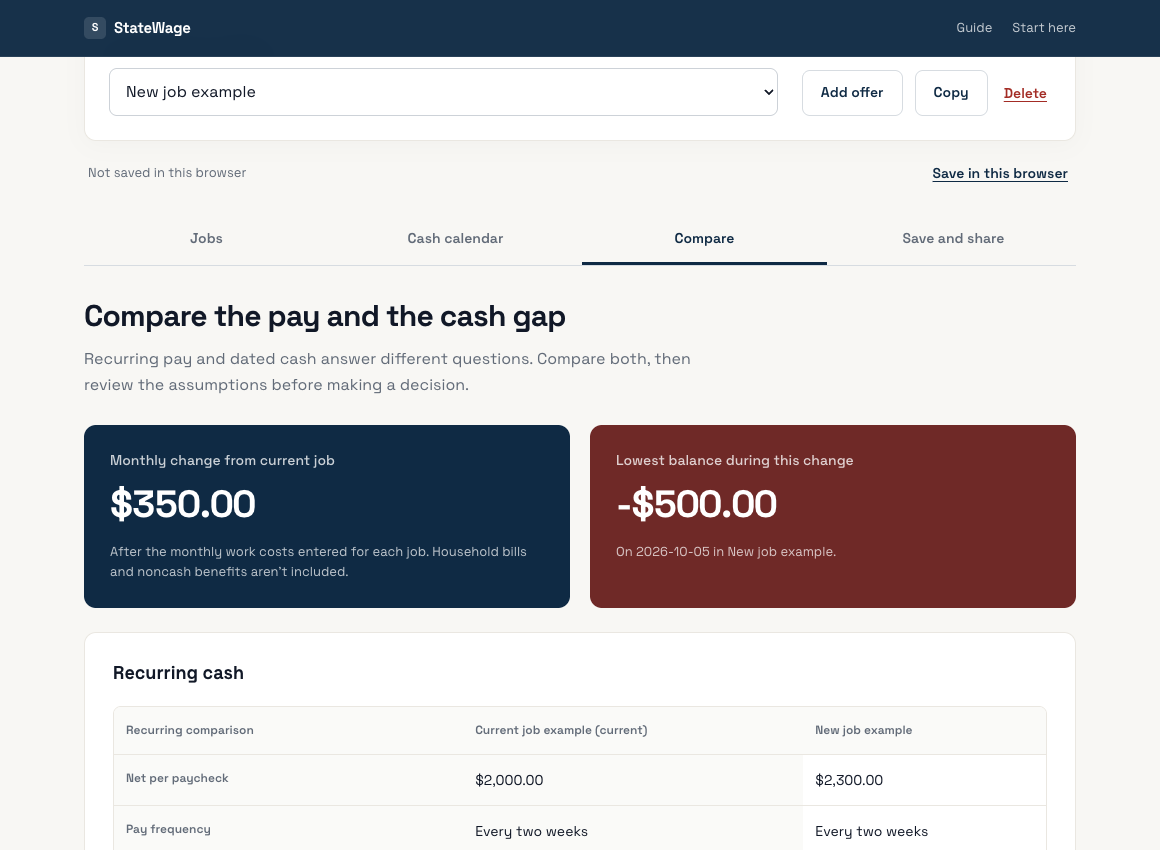
Open the image to read it at full size. The kit runs in desktop Chrome after you extract the ZIP.
The ZIP contains the working browser app, a guide and a labeled example. Extract the whole folder and open index.html in desktop Chrome.
Personal use. No recurring charge, account or bank connection.
Checking checkout availability…
Pay through Stripe. Once payment is verified, the confirmation page gives you the ZIP. Keep that private link and a downloaded copy.
Recover a recent purchase · Seller, support and refunds
Already bought a zovo.one membership? Check your existing access before buying. Include your purchase email or receipt reference, not card details.
Sold by BeLikeNative through StateWage. Full-refund requests are accepted within 30 days. A kit purchase delivers this ZIP; it doesn't create a zovo.one membership.
If you only need a quick take-home estimate, use StateWage's free pay-raise calculator or net-to-gross tool. The kit is for keeping the comparison and transition plan together.
Other free options include CFPB cash-flow worksheets and Vertex42's weekly budget spreadsheet. Buy the kit if its saved, dated workflow is useful to you.
Enter what reaches your bank after payroll deductions, from a paystub or an employer estimate. The kit doesn't calculate tax. Don't subtract deductions again as work costs.
The generator follows the pattern you choose. It doesn't move dates for weekends, bank holidays or payroll cutoffs, and it doesn't assume your first paycheck is a full one. Confirm those details with payroll.
Browser storage can be cleared and isn't encrypted. Export your JSON backup somewhere private. The offline app sends no salary, employer names or plan entries to a server.
Results depend on your inputs and the period you enter. Benefits, employment terms and personal priorities still matter. The kit doesn't guarantee savings, a job offer, or an account balance.